
BLOG
Free Labour-Time Database for Tradespeople: Estimate Jobs Using Your Own Real Job Times
This guide is written around the UK trade scenario, but the estimating principles apply in most English-speaking nations.
Introduction
Ask any experienced tradesperson what the hardest part of pricing a job is, and most will give the same answer: working out how long it will take. Materials can be looked up. Overheads can be calculated. But labour time usually comes down to a gut feeling — and when that gut feeling is wrong, the profit on the job disappears.
The answer is not someone else’s price book. It is your own history. How long did the last consumer unit change actually take you? How many square metres of tiling did you really lay in a day on the last bathroom? If you recorded it, you would know. Our free Labour-Time Database makes recording it easy. It is a ready-made Google Sheets database with its own job-entry form, copied into your own Google account, so you can log estimated and actual labour times for every job and build a private record of how long your work really takes
Why Your Facebook Cover Photo Matters
Your cover photo is the largest image on your Facebook Page and the first thing visitors see. In a couple of seconds, it should tell them who you are, what you do and that you are a professional, established business. A good header builds trust before a potential customer has read a single post.
It is also one of the easiest parts of your online presence to improve. Unlike a website, you can change it in minutes — to promote a seasonal service, highlight a particular type of work or simply refresh your branding.
Why Labour Time Is Where Profit Is Won or Lost
For most trade businesses, labour is the biggest variable in the price. Underestimate the hours by a few per job and the difference comes straight out of your profit. Do that on job after job and you can be busy all year and still wonder where the money went.
Overestimating is a problem too. Pad every job to be safe and you lose work to competitors who price more accurately.
The trouble with gut feel is that it is rarely checked. Most tradespeople estimate a job, do the job and move on to the next one, without ever comparing what they thought it would take with what it actually took. The same mistakes get repeated for years.
Why Your Own Data Beats Any Price Book
Published labour rates and online estimates can be a useful sense check, but they are averages. They do not know how you work, what tools you use, whether you work alone or with a labourer, or what kind of properties you usually work in. Two competent tradespeople can take very different times to do the same task, and both can be right for their own business.
The most reliable labour times for your business are the ones you have recorded on your own jobs. Every job you log makes your next estimate a little more accurate. Over time, you build something no price book can give you: a record of how long your business takes to do your work.
What the Free Labour-Time Database Does
- Record every job— log each completed job through a simple Google Form on your phone or computer.
- Compare estimated and actual time— build up a history of how long different tasks really take against what you allowed.
- Automatic Job Log— every form submission appears on its own line in the Job Log tab, with no copying and pasting.
- Your own private copy— the database and form are copied into your own Google account and stay under your control.
There is no software to install, no add-ons and no setup approval required. All you need is a free Google account.
How to Get Started
Setting up takes a few minutes:
- Click the button on the tool page.Google opens the Trade Skills Hub Academy template.
- Select “Make a copy”.Your personal copy is created in your own Google account.
- Open the “Start here” tab.Follow the simple instructions to find your job-entry form.
- Bookmark the form.Save it to your phone or computer so you can log each completed job quickly — on a phone, adding it to your home screen makes it one tap away.
- Use the Job Log.Every job you submit through the form is added automatically.
One tip: the spreadsheet includes a tab called Form Responses 1, which holds the raw data Google writes from the form. Leave that tab alone. Use the Job Log tab as your normal working view.
Your Data Stays Private
Once you make a copy, your Labour-Time Database and its form are stored in your own Google account. Trade Skills Hub Academy cannot see your jobs, your labour times or your form entries. Your pricing information is commercially valuable, and it stays yours.
Use Photos of Your Own Work
The tool offers five image approaches: upload your own business or work photo, upload several photos for a simple collage, use one realistic trade-related hero image, use graphic shapes and icons, or use a simple branded background.
Where you can, use your own photos. A real photo of a finished kitchen, a newly laid patio, a tidy consumer unit or your team and van says far more about your business than a generic image ever could. Local customers want to see your work, not stock photography.
The prompt tells the AI to use your photos faithfully, crop them cleanly and never invent completed projects. If you ask for a collage, it keeps it simple so the header does not become busy. Always make sure you have the customer’s permission before showing their property, and avoid anything that reveals their address.
How to Get the Most from Your Database
Log every job, not just the ones that went wrong
It is tempting to record only the jobs that overran. But the jobs that went to plan are just as valuable — they confirm which of your estimates are reliable. A database made up only of problem jobs will make every estimate look pessimistic.
Log it straight away
Record the job the same day, while the details are fresh. A two-minute entry from the van at the end of the job is far more accurate than trying to remember it at the end of the month.
Record labour hours, not just elapsed time
A job that took two people four hours used eight hours of labour, not four. If you price labour by the hour, it is labour hours that matter. Always record how many people worked on the job, so your figures can be compared properly.
Note the reason for any big difference
When actual time is very different from your estimate, write down why: difficult access, old wiring, uneven walls, customer changes, waiting for materials. Over time, those notes show you which conditions make jobs overrun — so you can spot them at the survey and allow for them in the price.
Review it regularly
Every month or so, look back through your Job Log. Are certain types of job always taking longer than you allowed? Are some tasks consistently quicker? Use what you find to adjust your future estimates.
From Records to Better Estimates
The real value of the database is the feedback loop it creates:
- Estimate the job using your best current figures.
- Do the job.
- Record the estimated and actual time.
- Compare and note the reasons for any difference.
- Adjust the figures you use for the next similar job.
Run that loop for a few months and your estimates start to sharpen noticeably. Run it for a year and you will have a body of evidence about your own business that most competitors never build. You will quote with more confidence, win more of the right work and protect your profit on the jobs you win.
Using AI Alongside Your Own Data
AI assistants can be useful for a first estimate of an unfamiliar task, or for breaking a job down into its component tasks. But AI estimates are general, and they are only as good as the sources behind them. Use them as a cross-check against your own judgement and your own recorded history — never as a replacement for it. As your database grows, your own figures should carry more and more weight.
Important: Your Database Is Only as Good as What You Put In
The Labour-Time Database records the information you enter. It does not calculate your prices for you, and it cannot know about conditions you have not recorded.
Use your recorded times as evidence to support your estimating, alongside your own site survey and professional judgement. Every job is different, so always consider access, condition, customer requirements and any unknowns before you price.
Frequently Asked Questions
Yes. It is completely free. You need a free Google account to make your own copy.
No. The database is a Google Sheets template with a Google Form. There is no software to install, no add-ons and no setup approval required.
No. Once you make a copy, your database and form are stored in your own Google account. Trade Skills Hub Academy cannot see your jobs, labour times or form entries.
Yes. Bookmark the job-entry form or add it to your phone’s home screen, and you can log each job in a couple of minutes on site or in the van.
It holds the raw data Google writes from the form. Leave it alone and use the Job Log tab as your normal working view.
It starts being useful from the first few jobs, because you begin comparing estimates with reality straight away. The more jobs you record, the more reliable your figures become.
Any trade that prices labour — electricians, plumbers, heating engineers, carpenters, decorators, plasterers, bricklayers, roofers, tilers, flooring fitters, landscapers, kitchen and bathroom fitters, handymen and more.
Start Building Your Labour-Time Database Today
Every job you finish contains information that could make your next price more accurate. The free Labour-Time Database helps you capture it in a couple of minutes, keep it private, and turn it into a record of how long your work really takes. The more jobs you record, the better your estimates become.
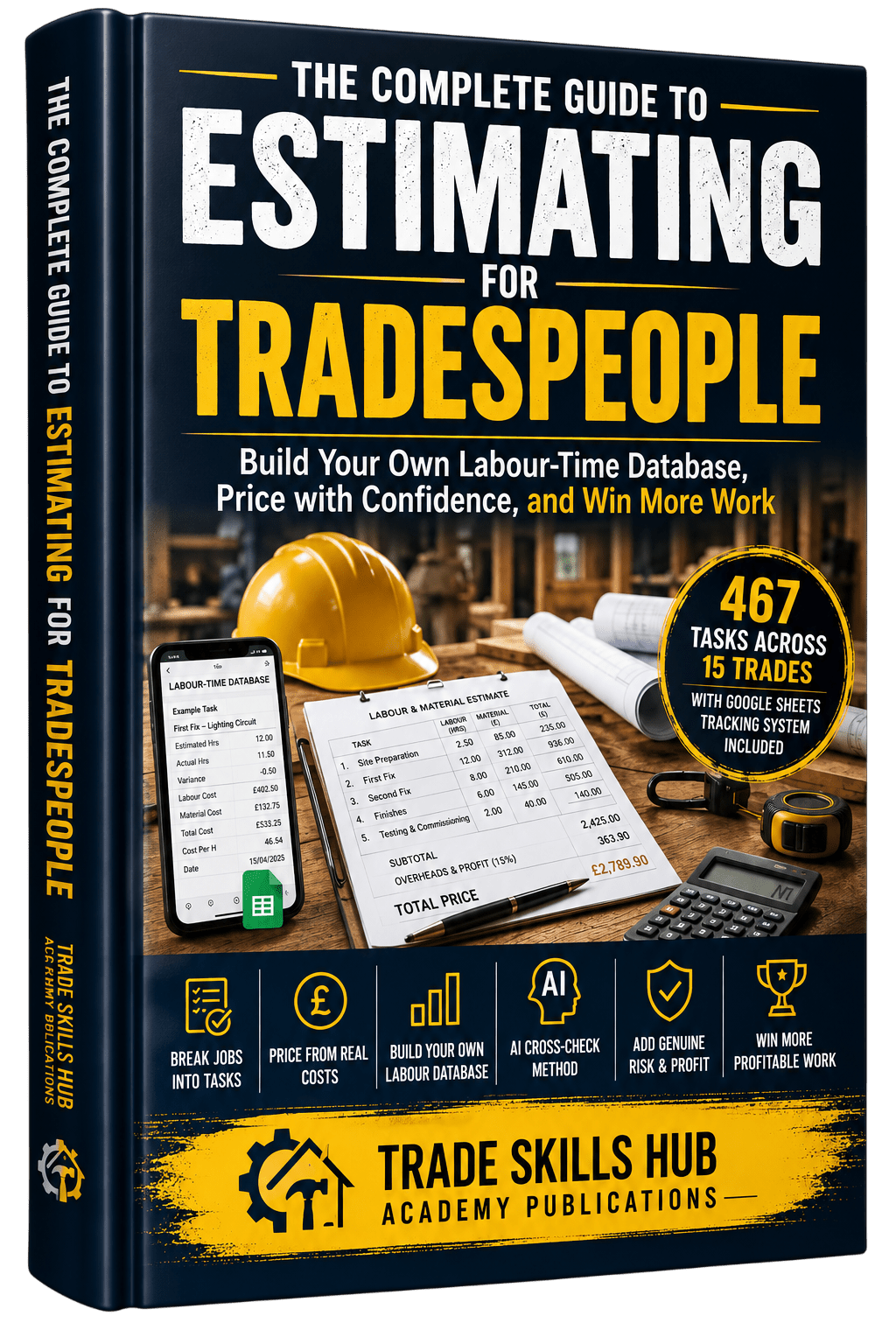
Want to take your estimating further? The Complete Guide to Estimating for Tradespeople shows you how to build and use your own labour-time database step by step — breaking jobs into tasks, estimating labour, pricing materials, allowing for overheads, risk and contingency, and turning it all into a professional quotation, with worked examples across a wide range of trades.
Once your estimates are sharper, our free Quote and Scope of Works and Trade Business Health Check AI Prompt Builders can help you present your prices professionally and check how your business is performing overall.